
A business compliance calendar is a centralized, year-round schedule that captures every regulatory obligation, deadline, owner, and required deliverable your company must manage to stay legally compliant. For multi-location operators running restaurant groups, franchise chains, convenience stores, or smoke shop networks, this is not a nice-to-have. It is the operational backbone that keeps your licenses active, your filings on time, and your business out of regulatory trouble.
Most growing companies start with a shared spreadsheet. That works at two locations. At five, ten, or twenty, it breaks down fast. Regulations vary by city, county, and state. Renewal dates stack up. Ownership of tasks gets blurry. A structured business compliance schedule replaces that chaos with a system that assigns accountability, triggers reminders, and creates an audit trail you can actually use.
What is a business compliance calendar and why does it matter?
A compliance calendar is defined as a comprehensive roadmap that details tasks, owners, deliverables, and deadlines to manage risks and ensure compliance across all operations. That definition matters because it separates a real compliance calendar from a simple due-date list. The due-date list tells you when something is due. The compliance calendar tells you who is responsible, what they need to submit, where the supporting documents live, and what happens if the deadline is missed.
The importance of compliance calendars becomes obvious the moment you miss a filing. Penalties for late business license renewals, tax filings, or health permit renewals can run into thousands of dollars per location. For a ten-location operator, one missed state filing can trigger fines across multiple jurisdictions simultaneously. A well-built calendar prevents that by making every obligation visible, assigned, and tracked before it becomes a crisis.

Compliance calendars also support sustainable growth by reducing costs and enabling continuous adjustments to evolving regulations. That is the long-term payoff. When your compliance system scales with your business, expansion becomes less risky and more predictable.
What are the key components of an effective compliance calendar?
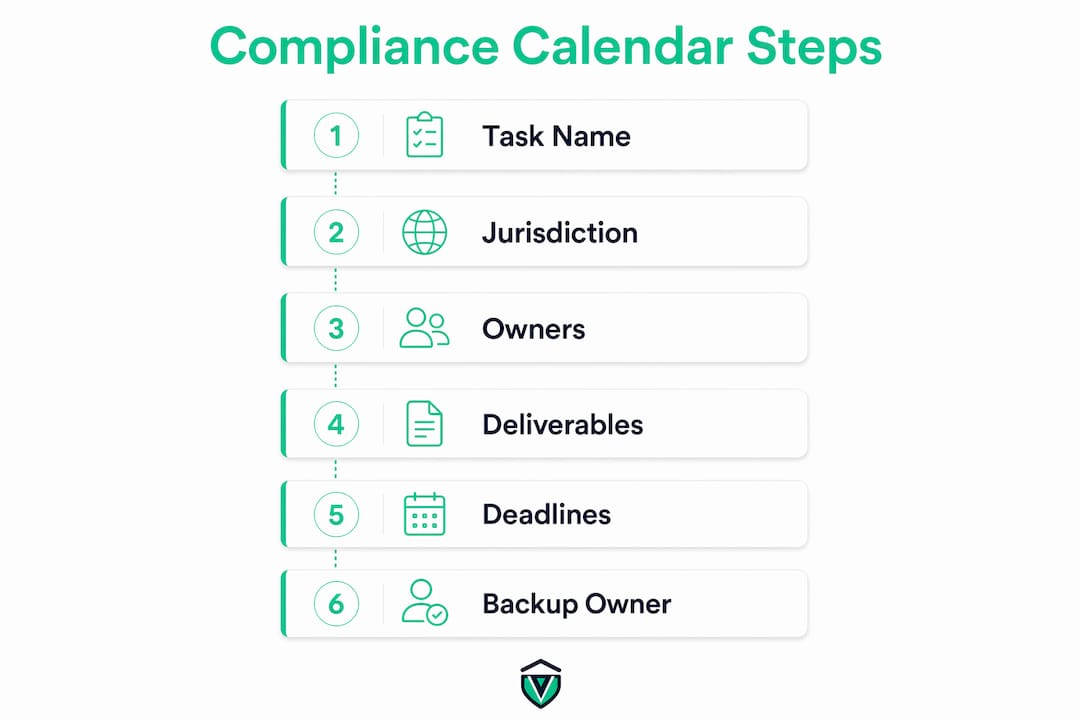
A compliance calendar built only around dates will fail an audit. Practical compliance calendars include these fields for every tracked obligation: task name, jurisdiction (federal, state, or local), frequency, due-date rule, responsible owner, required deliverables, reminder schedule, escalation steps, and record-retention requirements. Each field serves a specific operational purpose.
| Field | Role in the calendar |
|---|---|
| Task name and jurisdiction | Identifies what is required and which regulatory body governs it |
| Responsible and backup owner | Assigns accountability and prevents gaps when staff turns over |
| Required deliverables | Lists forms, payments, and supporting documents needed for completion |
| Reminder and escalation schedule | Triggers alerts at 30, 14, and 7 days out, with escalation to a manager if unacknowledged |
| Record-retention requirements | Specifies how long completed filings and evidence must be stored for audit readiness |
The deliverables field is where most calendars fall short. Calendars that only include due dates often fail audits because they omit linkage to the evidence required to prove compliance. Recording the specific forms, supporting statements, and payment confirmations on each calendar item means your team can generate compliance proof on demand, not just scramble before an inspection.
Pro Tip: Add a "backup owner" field to every calendar item. When a primary owner leaves or is unavailable, an unassigned task is the fastest path to a missed deadline and a penalty notice.
How does a compliance calendar support multi-location businesses?
The hardest part of managing compliance across multiple locations is not listing the deadlines. It is mapping each requirement correctly to the right jurisdiction and site, with accurate lead times and escalation paths. A restaurant group operating in three states faces different health permit renewal cycles, food handler certification requirements, and sales tax filing frequencies in each state. A single shared calendar without location-specific mapping creates dangerous blind spots.
An effective multi-location business compliance schedule addresses this by:
- Tagging every obligation to a specific location and jurisdiction (federal, state, county, or city)
- Assigning a primary and backup owner at the location level, not just at headquarters
- Layering automated reminders with human review checkpoints so no alert falls through the cracks
- Tracking dependencies between tasks, such as a state license renewal that requires a current local business license to be on file first
- Updating automatically or flagging for review when regulations change in a specific jurisdiction
That last point matters more than most operators realize. Dependencies and triggers between tasks must be reflected in the calendar to prevent cascading delays. If your liquor license renewal depends on a current certificate of occupancy, and that certificate expired without anyone noticing, you now have two problems instead of one.
Pro Tip: Review your compliance calendar quarterly, not just annually. Regulations change mid-year, locations open and close, and staff turns over. A quarterly review catches gaps before they become violations. As noted in compliance management guidance, ownership accountability and regular audits are the primary drivers of deadline adherence.
What are best practices for creating a compliance calendar?
Building a compliance calendar that actually works requires a structured approach. Here is a step-by-step process that works for multi-location operators:
-
Audit all current obligations. Pull every active license, permit, tax registration, and reporting requirement across every location. Include federal, state, county, and city-level items. Do not assume your team already has a complete list. Gaps are common, especially for businesses that expanded quickly.
-
Assign a due-date rule, not just a date. Instead of writing "renew by March 31," write "renew 45 days before expiration date." This rule-based approach stays accurate even when renewal cycles shift.
-
Assign a primary owner and a backup owner. Every item needs a named individual responsible for completion. Unassigned tasks are the single most common cause of missed deadlines in multi-location compliance programs.
-
Integrate with existing systems. Connect your compliance calendar to your payroll software, accounting platform, or project management tool where possible. When a payroll tax filing deadline appears in the same system your finance team already monitors, it is far less likely to be missed.
-
Build a layered reminder schedule. Set automated alerts at 30 days, 14 days, and 7 days before each deadline. Add an escalation rule that notifies a manager if the primary owner has not acknowledged the reminder within 48 hours. Multiple layers of alerts combined with human review are the most reliable defense against missed deadlines.
-
Run a dry-run test before going live. Regular calendar dry-runs confirm that owners receive reminders and can access the documents they need to complete each task. A reminder that goes to a deleted email address is no reminder at all.
-
Schedule a quarterly review. After major business changes, such as opening a new location, acquiring a business, or entering a new state, update the calendar immediately. Do not wait for the next scheduled review.
The comparison between manual and automated approaches is straightforward. A Google Sheets calendar works for a single location with a dedicated compliance manager. For five or more locations, manual tracking creates version control problems, missed updates, and accountability gaps that specialized compliance platforms are built to eliminate.
What tools are available for managing a compliance calendar?
General-purpose tools like Google Calendar and Microsoft Outlook handle basic date tracking. They fall short for multi-location compliance because they lack ownership assignment, escalation workflows, jurisdiction tagging, and document linkage. These are not minor gaps. They are the features that make a calendar operational rather than decorative.
| Tool type | Best for | Key limitations for multi-location use |
|---|---|---|
| Google Calendar / Outlook | Single-location or low-volume tracking | No ownership assignment, no escalation, no document storage |
| Project management tools (Asana, Monday.com) | Teams already using these platforms | Requires manual setup; no compliance-specific logic |
| EHS platforms (VelocityEHS) | Environmental, health, and safety compliance | Specialized for EHS; not built for permit and license management |
| Dedicated compliance platforms (Vaultedai) | Multi-location permit, license, and renewal tracking | Purpose-built for the use case; fastest path to operational compliance |
Key features to evaluate when selecting a compliance calendar tool:
- Automated reminders with configurable escalation paths
- Location-level and jurisdiction-level tagging
- Owner assignment with backup owner support
- Document storage linked directly to each compliance item
- Audit log showing who completed what and when
For businesses managing local business licenses across multiple jurisdictions, the ability to tag items by city, county, and state is not optional. It is the feature that makes the calendar usable at scale. Operators managing multiple permits per location need a platform that treats each permit as a distinct tracked item with its own owner, deadline, and document set.
What are the most common compliance calendar pitfalls?
Most compliance calendar failures share the same root causes. Recognizing them early saves significant operational pain:
- Treating the calendar as a passive list. A calendar that no one actively manages becomes outdated within weeks. Compliance calendars are most effective when treated as continuous control systems with clear ownership and regular updates, not static spreadsheets.
- Failing to assign backup owners. When the primary owner is on leave or has left the company, an unassigned task misses its deadline. Every item needs a named backup.
- Ignoring local requirements. State and federal obligations are easier to track because they are well-documented. City and county requirements, such as local business tax receipts or fire inspection renewals, are frequently overlooked and carry real penalties.
- Underestimating lead times. Some compliance tasks require 60 to 90 days of preparation. A reminder set for 7 days before a deadline is useless if the task requires a state agency review period of 45 days.
- Skipping record retention. Linking deadlines to deliverables and retention requirements enables continuous generation of compliance proof. Without this, audits become reactive scrambles instead of straightforward document pulls.
Pro Tip: After any business change, such as a new location, a change in ownership, or entry into a new state, run a full calendar audit within 30 days. Regulatory obligations shift with business structure, and your calendar needs to reflect that immediately. Resources on staying compliant during expansion can help you identify what changes.
Key takeaways
A business compliance calendar works only when it combines clear ownership, layered reminders, jurisdiction-specific mapping, and direct linkage to required deliverables across every location you operate.
| Point | Details |
|---|---|
| Definition and purpose | A compliance calendar is a centralized schedule tracking every obligation, owner, deadline, and deliverable across all locations. |
| Critical components | Every calendar item needs a task name, jurisdiction tag, owner, backup owner, deliverables list, and retention requirement. |
| Multi-location mapping | Tag each obligation to a specific location and jurisdiction to prevent gaps and cascading deadline failures. |
| Layered reminders | Set automated alerts at 30, 14, and 7 days out, with escalation to a manager if the primary owner does not respond. |
| Tool selection | General tools work for one location; dedicated compliance platforms are necessary for five or more locations at scale. |
Why most compliance calendars fail before they start
I have seen this pattern more times than I can count. A business owner builds a solid compliance calendar in January, feels good about it, and then opens a new location in April. The new location gets added to the spreadsheet, but nobody updates the reminder rules, assigns a backup owner, or checks whether the new city has a separate business tax registration requirement. By October, there is a penalty notice sitting on someone's desk.
The uncomfortable truth about compliance calendars is that the tool is almost never the problem. The problem is treating calendar setup as a one-time project instead of an ongoing operational responsibility. The businesses I have seen manage compliance well treat their calendar the way a finance team treats a cash flow forecast. It is reviewed regularly, updated when circumstances change, and owned by someone with real authority to act on what it shows.
Automation helps significantly, but it does not replace judgment. An automated reminder for a task that has been miscategorized or assigned to the wrong jurisdiction is just a faster way to do the wrong thing. The combination that actually works is a well-structured calendar, clear ownership at every level, and a quarterly review process with executive visibility. When leadership treats compliance calendar accuracy as a performance metric, the rest of the organization follows.
If you are managing more than three locations, the question is not whether you need a dedicated compliance platform. The question is how much longer you can afford to operate without one.
— Rakin
How Vaultedai centralizes compliance tracking for multi-location teams
Vaultedai is built specifically for multi-location businesses that have outgrown spreadsheets and manual tracking. The platform centralizes permits, licenses, renewals, and compliance documents across all your locations in one place, with automated reminders, escalation workflows, and owner assignment built in from the start.
Instead of chasing renewal dates across a dozen tabs, your team gets a single view of every obligation, tagged by location and jurisdiction, with documents linked directly to each item. For restaurant operators, franchise groups, convenience stores, and smoke shop networks, that visibility is the difference between proactive compliance and reactive damage control. Explore how Vaultedai's permit tracker can replace your current system and scale with your business as you grow.
FAQ
What is a compliance calendar in simple terms?
A compliance calendar is a centralized schedule that tracks every regulatory deadline, filing, permit renewal, and reporting obligation your business must meet, along with who is responsible for each item and what documents are required.
How often should a business compliance schedule be updated?
A compliance calendar should be reviewed and updated at least quarterly, and immediately after any major business change such as opening a new location, changing ownership, or entering a new state or jurisdiction.
What is the difference between a compliance calendar and a task list?
A task list records what needs to be done. A compliance calendar adds jurisdiction tagging, ownership assignment, escalation rules, document linkage, and record-retention requirements, making it an operational management tool rather than a simple checklist.
Do multi-location businesses need specialized compliance software?
General tools like Google Calendar work for single-location businesses. Multi-location operators need platforms with location-level tagging, backup owner assignment, automated escalation, and document storage to manage the volume and complexity of obligations across jurisdictions.
What happens if a compliance deadline is missed?
Missed compliance deadlines typically result in financial penalties, license suspension, or forced closure of the affected location. For multi-location businesses, a single missed state filing can trigger penalties across multiple sites simultaneously.