
Coordinating permit approvals, compliance deadlines, and document auditing across multiple sites creates confusion and missed tasks for operators managing physical locations or municipal workflows. Many compliance management software platforms either restrict integrations with key workflow tools, hide pricing behind sales conversations, or leave critical automation features gated behind enterprise-only tiers. This comparison highlights six alternatives to Barlap.com so you can match platform strengths, integration support, and accessibility to your operational and compliance needs with fewer unpleasant surprises.
Table of Contents
- Vaultedai
- Permits.com
- PermitSight
- ComplianceMate by Ladle
- Docusign
- Box
- Comparative Analysis of Permit and Compliance Management Software
Vaultedai
At a Glance
Public pages returned errors during my review, leaving the site effectively inaccessible and preventing a full technical evaluation. That outage is the defining fact here; without a working site I could not verify pricing, onboarding flow, or live screenshots.
Core Features
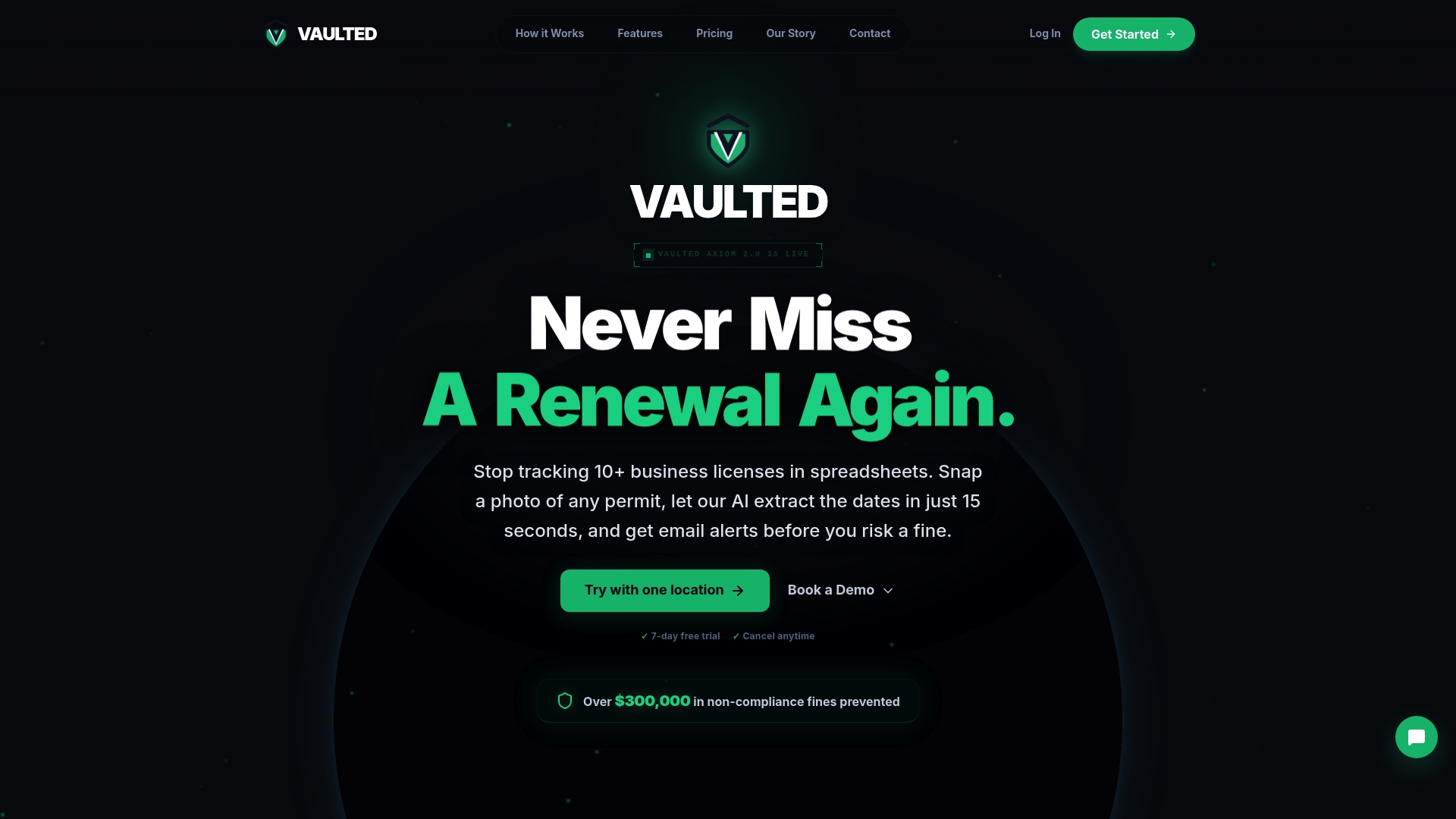
According to Vaultedai's marketing, the product is marketed to centralize permits, licenses, renewals, and compliance documents across multiple locations. That description is the only substantive feature claim available for review.
- Central document repository for multi-location records as advertised.
- Automated reminders and renewal tracking implied by the platform description.
- Fast onboarding and simple workflows are highlighted in vendor copy but could not be confirmed on the site.
Key Differentiator
The marketing materials position Vaultedai as focused on multi-location operators that have outgrown spreadsheets. That positioning is the single differentiator the vendor emphasizes. Given the site outage, this remains a stated market focus rather than a validated capability.
Pros
-
The platform is presented as a single place to consolidate permits and renewals for multiple sites. That claim, if true, aligns with how franchises and operators prefer to manage distributed compliance.
-
Vendor copy emphasizes fast onboarding, which would matter if you are migrating dozens of locations off spreadsheets. I could not test onboarding due to the site outage.
-
The description calls out simplified operational workflows and improved visibility for groups such as smoke shop owners, restaurant operators, and convenience store chains.
-
Centralizing renewals in one system reduces the cognitive load for operations teams, in theory helping to cut missed deadlines across locations.
Cons
- The public site was inaccessible during review, which prevents verification of core features, integrations, trial access, or pricing and blocks practical evaluation and pilot testing.
Who It's For
Based on the vendor description, Vaultedai targets operators running multiple physical locations who have moved beyond spreadsheets and manual renewals. This includes small franchise groups, multiunit restaurant operators, and retail groups that need consolidated permit oversight.
Unique Value Proposition
Vaultedai's marketing states the platform centralizes permits, licenses, and renewals across all locations in a single system. If that claim holds, the platform converts a pile of spreadsheets and calendar reminders into a single operational source of truth for multi-site teams.
Real World Use Case
Imagine a 25-unit convenience store group migrating from local file folders and calendar reminders. The marketed workflow would let a central operations manager see upcoming expirations across every location, assign renewal tasks, and keep scanned permits attached to each site record. I could not validate this flow because the site was down.
Pricing
The product data provided lists pricing as not applicable and informational only. No public pricing tiers or trial details were available during the review because the website pages were not accessible.
Website: https://vaultedai.app
Permits.com

At a Glance
The vendor reports serving more than 19,000 municipalities in the U.S. which explains why the product focuses on municipal workflows and scale. Permits.com combines permit filing, inspection scheduling, and compliance tracking to reduce approval delays across jurisdictions.
Core Features
Permits.com centers on a small set of mission critical tools for permit offices and contractors.
- Permit and inspection request software for in house permit processing and applicant self service.
- Compliance tracking for contractor licenses, insurance, and certifications.
- Inspection scheduling and online status updates for inspectors and applicants.
- Building permit data analysis and prediction tools using Artificial Intelligence to flag likely requirements.
- Municipality lookup and contact automation based on project address to speed filing.
Key Differentiator
Permits.com is licensed specifically for commercial in house use and is built on decades of municipal permit processing experience. That operational history shows in feature choices that align with local government workflows rather than generic construction management needs.
The result is a product shaped by permitting realities like jurisdiction lookups, inspector status, and compliance records rather than a database bolted onto an approval process.
Pros
- Robust permit processing keeps permits, licenses, and inspections in one place which reduces lost paperwork for municipal clerks.
- Automation features cut repetitive validation work such as cross checking contractor insurance and pulling municipality contact details.
- Recognition in civic tech and industry awards lends credibility when presenting a procurement case to a council or IT review board.
- Scalable architecture fits large municipal deployments and multi project contractors who manage permits across many jurisdictions.
- Intuitive online dashboard gives inspectors, contractors, and property owners visibility into project status without back and forth email.
Cons
- Limited integrations with third party contractor or project management systems are reported which forces manual exports or parallel tools.
- Pricing is not public which can slow procurement for smaller firms that need clear budget figures up front.
- The documentation on customization and data scale is thin so large IT teams may need clarification on limits before purchase.
- The platform is oriented toward municipal and enterprise contractor use which can feel like overkill for single site or DIY projects.
When It May Not Fit
If your team needs a tool that plugs into an existing ERP or detailed project management stack you will likely hit integration limits. Small contractors and homeowners who want a pay as you go option may also find the product aimed at institutional licensing rather than one off permits.
Who It's For
Municipal permit departments, large scale contractors, and property developers who file and manage permits across multiple jurisdictions. Procurement teams at local government will appreciate the municipal focus while general contractors benefit from centralized compliance records.
Real World Use Case
A general contractor uses Permits.com to verify permit requirements across three counties, file applications, schedule inspections, and store contractor insurance. Inspectors update statuses online and the contractor sees progress in a single dashboard which reduces phone calls and missed inspections.
Pricing
Pricing is not published online. The vendor asks prospects to contact sales for enterprise licensing and deployment details which means procurement will require a vendor conversation and likely a licensing quote.
Website: https://permits.com
PermitSight
At a Glance
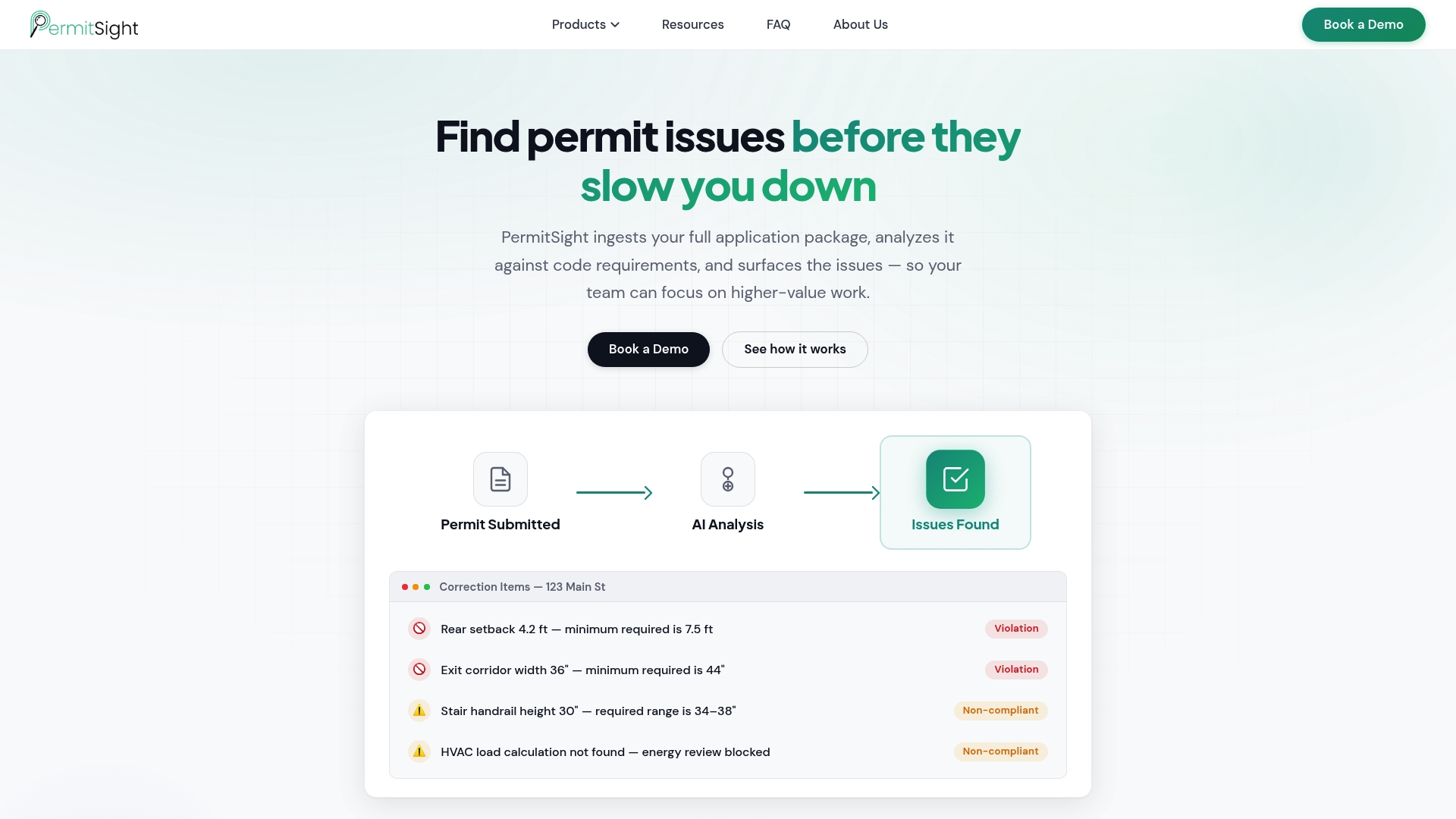
PermitSight's marketing materials describe an AI driven analysis that ingests full permit application packages and compares documents to code requirements to flag likely issues before municipal review. The vendor advertises that early feedback reduces resubmissions and speeds approval cycles.
Core Features
- AI analysis of permit application packages that reads plans, forms, and supporting documents to detect probable omissions and code mismatches.
- Structured correction and review reports that convert findings into clear, applicant facing recommendations and reviewer summaries.
- Automated document intake and categorization to sort submissions and attach metadata for faster triage.
- Pre submission feedback that lets applicants address gaps before filing.
- Tools meant to cut resubmissions and shorten permit review timelines.
Key Differentiator
The product focuses on deep document analysis rather than checklist automation. PermitSight emphasizes spotting issues inside drawings and narrative packages so reviewers see higher quality applications. That approach targets error reduction at the document level instead of only enforcing form completeness.
Pros
- The vendor reports reduced review time from hours to minutes, a claim that, if realized, shifts reviewer effort from triage to decision making.
- Early issue detection highlights critical items before staff start formal review which lowers back and forth with applicants.
- Automated intake and categorization reduces manual sorting work for permit clerks and speeds assignment to reviewers.
- Reports are written to be actionable for applicants and reviewers so correction requests are specific instead of vague.
- The platform is pitched to plug into existing workflows which helps preserve current review steps while adding AI assisted checks.
Cons
- No publicly available pricing details; you must contact PermitSight for a demo and quote.
- Limited public information on customization options makes it unclear how deeply the tool adapts to local codes or unique workflow rules.
- Effectiveness depends on digital submission formats and may be much lower where paper plans and scans are still common.
When It May Not Fit
If your jurisdiction accepts mostly paper plans or low quality scans, PermitSight will struggle to read documents and deliver reliable feedback. The product is also a weaker match where buyers need highly customized rules engines and extensive on premise control without vendor involvement.
Who It's For
Municipal permit departments, regional agencies, and permitting teams that receive predominantly digital application packages and want to reduce manual triage. Architectural and engineering firms that want pre submission checks to lower resubmissions will also find value.
Real World Use Case
A city uses PermitSight to pre screen incoming building permit packages. The system flags missing structural calculations and likely code conflicts so applicants fix issues before a reviewer opens the file. The municipality reports fewer resubmissions and faster queue movement after deployment.
Pricing
Pricing is not published. The vendor asks prospects to schedule a demo to get a tailored quote based on jurisdiction size, document volume, and desired customization.
Website: https://permitsight.ai
ComplianceMate by Ladle

At a Glance
Some pages on the public site return a 403 error, which limits self-serve evaluation for buyers. ComplianceMate targets foodservice and retail operators with automated HACCP checklists and live temperature monitoring to reduce manual logging and increase site-level visibility.
Core Features
ComplianceMate focuses on operational controls that matter in kitchens and stores. Key capabilities include
- Automated HACCP Workflow Checklists for daily and shift-level tasks that replace paper logs.
- Temperature Sensor Monitoring with Real Time Alerting tied to probes and thresholds for cold chain risks.
- Data Monitoring and Reporting that centralizes audit trails and historical temperature records.
- Mobile friendly audit solutions and Storewise dynamic pricing insights for grocers and convenience stores.
Key Differentiator
The product pairs food safety workflows with live sensor telemetry so operators see both compliance status and the underlying temperature data in one place. That combination is aimed squarely at multiunit restaurants, convenience store groups, and independent grocers rather than general-purpose compliance platforms.
Pros
- The temperature alerting reduces the need for constant manual checks and helps staff react faster when cold chain thresholds are crossed.
- The checklist automation standardizes HACCP tasks across sites, which cuts variance between locations and simplifies audits.
- Real time monitoring appears reliable for many users and gives managers a single feed for incident investigation.
- Visibility tools make it easier to spot recurring issues across sites and to hold specific locations accountable.
- The platform covers both food safety and operational tasks so teams do fewer tool switches during daily rounds.
Cons
- Probe connectivity issues are reported and can cause missed or delayed alerts when a sensor drops offline.
- Dashboard refreshes sometimes show stale data which reduces trust during incident response.
- Login and redirect behavior can be awkward and produces occasional "server not found" errors for users.
- Monitoring may stop when notes are added after an event, which creates gaps in the audit trail.
When It May Not Fit
If you require a fully public demo and self-service sign up the reported 403 pages will slow evaluation. If your operation cannot tolerate intermittent sensor drops then the connectivity limitations above will create unacceptable risk.
Who It's For
Operators running multiple foodservice or retail sites that want to move away from paper logs and spreadsheets. Best for groups that can tolerate some sensor troubleshooting and that need combined compliance and pricing insights at the store level.
Real World Use Case
A regional restaurant chain deploys ComplianceMate to automate HACCP checklists across 30 locations. Managers receive immediate alerts when refrigerator temps drift and audit reports pull automatically for inspectors. The chain reduces manual spot checks and shortens incident investigations.
Pricing
Pricing is not published on the site and the product page is informational only. Prospective buyers should contact Ladle for a demo and a quote given the restricted public access and site behavior.
Website: https://compliancemate.com
Docusign

At a Glance
Docusign reports serving 1.7 million customers and 95% of Fortune 500 companies, a vendor claim that signals broad enterprise adoption. The platform combines eSignature, agreement lifecycle tools, and AI analysis in a single suite for legal and operational teams.
Core Features
- eSignature for sending, signing, and tracking documents across devices.
- Contract Lifecycle Management to automate creation, review, and approvals.
- AI-powered agreement analysis that produces summaries and highlights risks.
- Workflow Builder for no-code automation and a developer-friendly API surface.
Key Differentiator
The platform pairs its AI analysis with deep third-party connections, which lets agreements feed downstream systems without manual exports. That combination moves contract review from a separate task into the operational flow of CRM and ERP systems.
Pros
- Large enterprise footprint. The vendor claim above gives confidence that the product handles volume and complex compliance requirements.
- Strong security posture with industry certifications listed in marketing materials such as ISO 27001 and FedRAMP, which supports regulated environments.
- Rich automation. The Workflow Builder plus APIs lets engineers replace repetitive approval emails with deterministic processes.
- Broad ecosystem. Built-in connectors reduce custom middleware work when linking to major business applications.
Cons
- Advanced features and integrations can be complex to deploy and maintain without a dedicated technical lead.
- Pricing places basic eSignature at lower tiers but drives costs higher for Business Pro and enterprise features, which can strain small budgets.
- Several reviewers report a learning curve when adopting the platform end to end, especially for contract lifecycle modules.
When It May Not Fit
If you run a tiny operation that only needs occasional signatures, the platform’s enterprise capabilities and pricing may be overkill. Teams that lack internal developer or IT support will find some custom integrations costly to implement.
Notable Integrations
- Salesforce
- Microsoft 365
- Google Workspace
- ServiceNow
- SAP
- Stripe
Who It's For
Legal teams, procurement, finance, and operations at midsize and large organizations that need secure, auditable agreement workflows and automated handoffs into CRM or ERP systems. Also suitable for regulated industries that demand formal certifications.
Real World Use Case
According to the vendor, Unilever reduced procurement agreement time by 50% and T-Mobile shortened agreement cycles by 44% after adopting the platform. Those case studies illustrate faster approvals and reclaimed capacity when contracts flow through automated routes.
Pricing
Entry-level eSignature starts at about $10/month per user for basic features. Business Pro plans list around $40/month per user and add advanced signing and workflow capabilities. Enterprise pricing is custom and quoted per deployment.
Website: https://docusign.com
Box
At a Glance
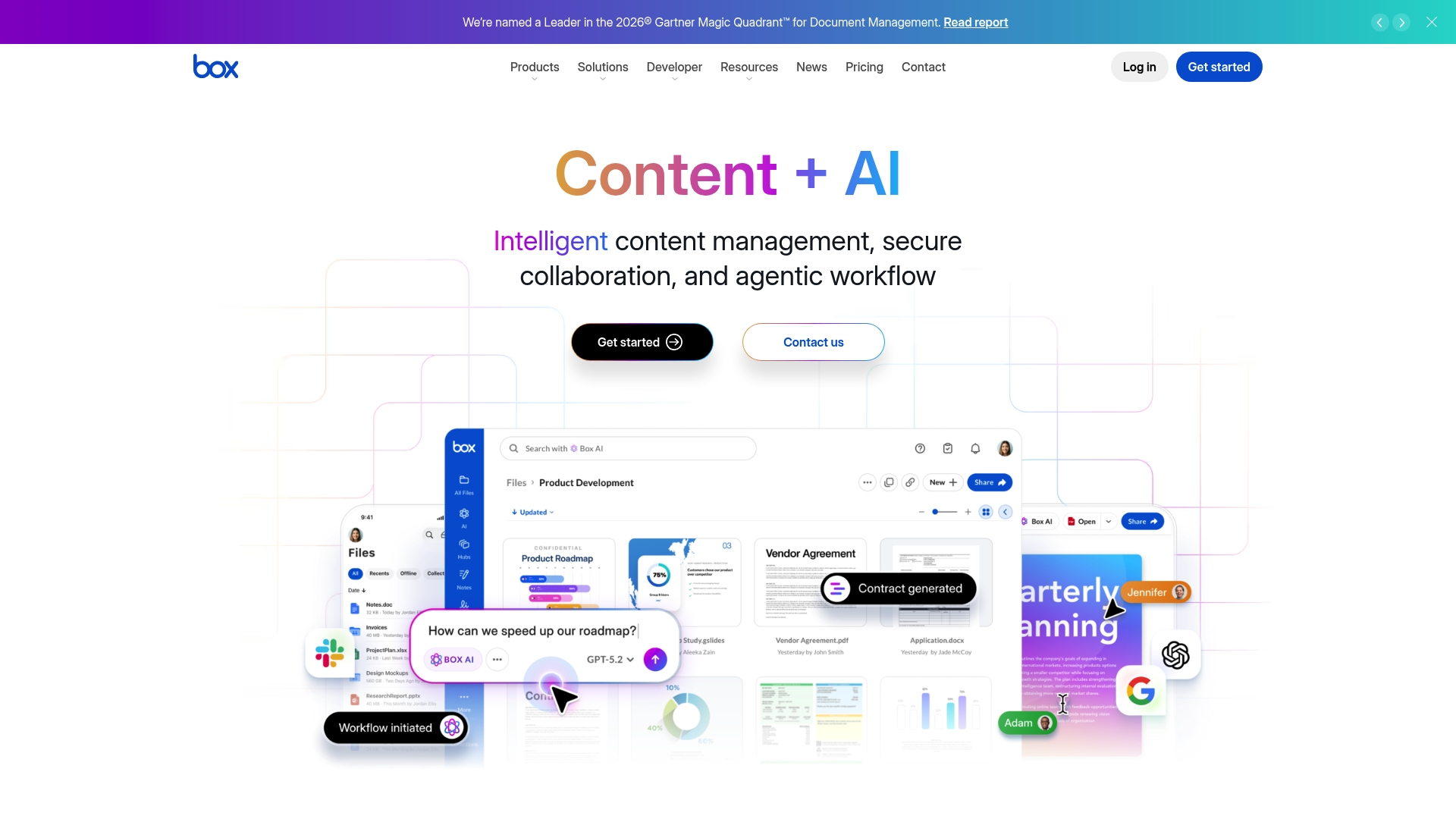
Box's marketing materials state over 1,500 app integrations, a concrete anchor for teams that need content tied into multiple business systems. The vendor also emphasizes enterprise-grade security and built-in AI tools for extraction, summaries, and e-signatures.
Core Features
- Secure content collaboration and sharing across teams and external partners with permission controls and audit trails.
- AI-powered content insights that surface metadata, summaries, and extracted fields for faster review.
- Automated document extraction and processing to convert scanned or uploaded documents into structured data.
- Workflow automation with AI agents to trigger approval flows, routing, and notifications based on content signals.
- Built-in tools for content summaries, metadata extraction, and integrated e-signatures to close document loops.
Key Differentiator
Box pairs advanced content security with embedded AI capabilities so teams can extract value from documents without exporting them to separate tools. That pairing aims to reduce manual review time by surfacing key fields and summaries inside the same repository where access controls and compliance logs live.
Pros
-
Box's marketing materials cite customers such as Cisco, NASA, and Morgan Stanley, which signals the platform is positioned for regulated, high-sensitivity environments.
-
Strong security and compliance posture makes it a defensible choice for legal, finance, and HR stores of record.
-
The integrations claim above lets you connect content to productivity suites and CRMs rather than move files by hand.
-
Built-in AI features reduce repetitive work: metadata extraction, document summaries, and e-signature flows mean fewer manual handoffs.
Cons
-
Advanced features like automated document generation and custom AI agents may require plan upgrades or extra fees, which raises total cost for feature-heavy deployments.
-
The platform's breadth and enterprise configuration options can lengthen implementation time versus lighter content tools.
-
Public pricing details are limited; enterprise capabilities are often handled via custom quotes rather than a published price list.
When It May Not Fit
Smaller teams or businesses with minimal IT support will likely find Box’s deployment and governance overhead disproportionate to their needs. If you need an out-of-the-box file share with minimal admin work and transparent per-seat pricing, that simpler product will probably be a better choice.
Notable Integrations
Box advertises connectors to major enterprise systems and productivity apps, which supports cross-system workflows without custom middleware.
- Microsoft 365
- Salesforce
- Google Workspace
- Adobe
- Slack
- Oracle NetSuite
Who It's For
Large organizations that must protect sensitive content while adding AI-driven extraction and automation. Regulated enterprises, global finance teams, and multi-location operators who need centralized governance with integration into existing CRMs and ERP systems will see the most value.
Real World Use Case
A global financial firm uses Box to hold client documents, run AI-assisted contract analysis for risk flags, and route documents for e-signature. That approach keeps audit trails and access controls close to the content while accelerating review cycles across time zones.
Pricing
Box does not publish detailed enterprise pricing in the provided materials. The vendor indicates enterprise plans are available and commonly require custom quoting, with advanced AI and automation features typically gated behind higher tiers or add-ons.
Website: https://box.com
Comparative Analysis of Permit and Compliance Management Software
Choosing the permit and compliance management system is a strategic decision that depends on specific operational needs and constraints. This analysis presents the strengths, weaknesses, and best-use scenarios of noteworthy platforms, helping users make an informed choice.
Target Demographics and Usability Consideration
Each product targets distinct audiences, emphasizing the importance of aligning platform capabilities with user objectives:
-
Vaultedai.app highlights streamlined compliance oversight for multi-site business operations. While the site outage prevents direct evaluation, if claims hold, features like automated renewal reminders and centralized permit storage cater specifically to businesses transitioning from spreadsheets.
-
Permits.com excels as a utility for municipal departments and larger contractors, offering tools tailored to permit filing, inspection scheduling, and cross-jurisdiction compliance, vital for managing extensive operational footprints.
-
PermitSight distinguishes itself with advanced AI analysis, ideal for jurisdictions where digitized submission forms the majority, reducing resubmissions and expediting approval processes.
-
ComplianceMate by Ladle addresses food service and retail sectors with sensor-integrated HACCP solutions, emphasizing real-time monitoring and streamlined operational processes.
Integration and Customization Insights
Integration aligns software with existing workflows and impacts overall efficiency:
-
Box provides extensive integrations, notably with enterprise systems, creating workflows. Customization options enable precise tailoring to complex workflows like those in global financial organizations.
-
Docusign focuses on widespread compatibility, offering varied integrations that solidify its place in secure digital agreement processing across industries.
-
Permits.com and PermitSight demonstrate moderate integration abilities while optimizing specific compliance and approval workflows, serving governmental and digital spheres effectively.
Best Fit Scenarios
-
Choose Vaultedai.app if your organization operates multiple physical locations and requires a solution tailored for centralized processing of permits and compliance.
-
For municipal departments or contractors working across various jurisdictions, Permits.com is the preferred choice for permit processing tools.
-
When analyzing and improving digital submissions to enhance efficiency, PermitSight serves as a facilitator of precise and AI insights.
-
For multi-site retail or foodservice operations, ComplianceMate by Ladle simplifies monitoring and standards compliance while managing food safety rigorously.
The Choice for Centralized Multi-Site Compliance
Vaultedai.app represents a strategic choice for businesses operating multiple physical locations seeking to consolidate compliance documentation and streamline operational processes effectively. However, organizations with highly specific requirements, such as municipal-level permitting processes or advanced agreement lifecycle management, may find stronger solutions in competitors like Permits.com or Docusign.
Permit and Compliance Management Software Comparison
Determine the ideal permit and compliance management software for your needs, focusing on centralized feature access, ease of use, and scaling capabilities.
| Product | Core Feature | Key Differentiator | Best For | Notable Limitation |
|---|---|---|---|---|
| Vaultedai | Permit consolidation across locations | Tailored for multi-location operations | Franchise operators and retail chains | Site unavailability limited feature verification |
| Permits.com | Municipal permit processing tools | Deep alignment with municipal workflows | Municipal departments and large contractors | Limited third-party system integrations |
| PermitSight | AI analysis of permit submissions | Focus on document quality improvement | Digital-first permitting agencies | Struggles with paper-based documents |
| ComplianceMate by Ladle | Automated HACCP checklists for food safety | Integration of compliance workflows with telemetry | Foodservice multi-unit operators | Occasional connectivity issues with sensors |
| Docusign | Electronic signatures and contract lifecycle | Advanced AI integration in compliance processes | Large enterprises requiring secure workflows | Advanced features may require extensive IT support |
| Box | Secure content collaboration with AI tools | Enterprise-grade security for sensitive content | Regulated industries with high compliance needs | High deployment overhead for smaller teams |
Simplify Multi-Location Compliance Beyond barlap.com Alternatives
Managing permits, licenses, and renewals across multiple sites can feel overwhelming when relying on spreadsheets and manual tracking. This article highlights how complex compliance management demands a centralized solution that reduces missed deadlines and improves visibility for growing businesses. Vaultedai is designed to meet these challenges head on by consolidating all compliance documents in one platform built specifically for smoke shop groups, restaurant operators, convenience stores, and franchises.
Take control with Vaultedai by moving beyond disjointed tools and spreadsheets. Experience fast onboarding, simplified workflows, and operational clarity that scale with your business needs. Visit Vaultedai now to see how you can easily centralize permits and reduce compliance risks across locations. Import your existing records and gain complete oversight to never miss a renewal again.
Frequently Asked Questions
How does Vaultedai simplify permit management for multi-location operators?
Vaultedai centralizes permits, licenses, and compliance documents in one repository, making it easier for operators to manage multiple locations from a single platform. The description states that it aims to reduce cognitive load and missed deadlines through a consolidated system for renewals. Multi-location operators should consider Vaultedai as a streamlined solution to simplify their compliance processes.
What is the difference between Vaultedai and Permits.com?
Permits.com excels in municipal workflows and has a history of serving over 19,000 municipalities, focusing on permit processing tailored to local government needs. Vaultedai, on the other hand, targets multi-site operators looking to replace spreadsheets, making it a better fit for franchises and retail groups with compliance oversight needs. Businesses seeking a municipal-focused platform may find Permits.com more aligned with their operations.
Which platform provides automated reminders for compliance tasks?
Vaultedai is advertised to offer automated reminders and renewal tracking for compliance tasks across multiple locations. This feature is highlighted in the vendor's description and directly addresses the needs of groups like restaurant operators and retail chains looking to stay on top of their compliance requirements. Operators should expect substantial help in managing renewals with Vaultedai.
Can I use Vaultedai if my business relies heavily on technology integrations?
Vaultedai's lack of publicly accessible features due to a site outage raises questions about its integration capabilities, which may pose challenges for tech-savvy teams that rely on seamless connections. The platform emphasizes moving away from spreadsheets, but users should ensure that Vaultedai can integrate effectively with their existing systems before committing. Consider exploring other options if integrations are a must.
What are the benefits of using Vaultedai for foodservice compliance?
Vaultedai facilitates compliance management by centralizing documents and offering simplified workflows that benefit multi-location foodservice operators. This capability aligns with operational needs specific to the foodservice industry, enhancing visibility and accountability for compliance tasks. Prospective users in foodservice should assess how well Vaultedai meets their unique requirements.