
To register each New York location, create a NY.GOV ID, build your master business profile in New York Business Express, then apply for a separate Certificate of Authority (COA) for every address where you'll make taxable sales. For NYC sites, link each address in the NYC Business dashboard. Do not open a new location until that address's COA has arrived and is posted on-site.
- NY.GOV ID + Business Express profile — one master account, all state applications flow through it
- COA per address — consolidated filers add locations via Form DTF-17-ATT; separate filers submit individual applications
- NYC locations — link and nickname each site in the NYC Business dashboard
- Local permits — verify health, zoning, signage, and liquor permits for every address individually; state registration does not cover local requirements
- Centralize renewals — use a single compliance system for COA PDFs, renewal dates, and officer updates
Apply for each COA at least 20 days before taxable sales begin at that address. Failure to display a COA at the location can trigger a $50 penalty per the Tax Department's own bulletin.
Table of Contents
- Key Takeaways
- What operators get wrong about multi-location compliance in New York
- Vaultedai keeps every location's compliance in one place
- Official resources for New York location registration
Key Takeaways
Managing multiple New York locations requires a COA per address, local permit verification for every site, and a centralized system to prevent missed renewals.
| Point | Details |
|---|---|
| COA per address | A separate Certificate of Authority is required for each physical location before taxable sales begin. |
| 20-day lead time | Apply at least 20 days before opening each new site to avoid compliance gaps. |
| Local permits are separate | State COA does not cover zoning, health, signage, or liquor permits — check each address individually. |
| Consolidated vs. separate filing | Use Form DTF-17-ATT to add locations as a consolidated filer, or file separate returns per site. |
| Vaultedai for centralization | Vaultedai consolidates COA documents, renewal deadlines, and delegated access across all locations in one place. |
What operators get wrong about multi-location compliance in New York
The initial registration is not the hard part. Getting a NY.GOV ID, filing through New York Business Express, and submitting a COA application is a one-time task per location. What actually breaks down is maintenance: renewal dates drift, officer changes go unfiled, and a new address gets opened before its COA clears.
Here's the sequence that works. Before filing anything for a new site, assemble a per-location intake packet: exact street address, county, DBA name if applicable, federal EIN, bank routing for sales tax deposits, and responsible-person details (Form DTF-17.1 where required). Consolidated filers then complete Form DTF-17-ATT, which can be photocopied for multiple locations. Separate filers submit individual applications through Business Express.
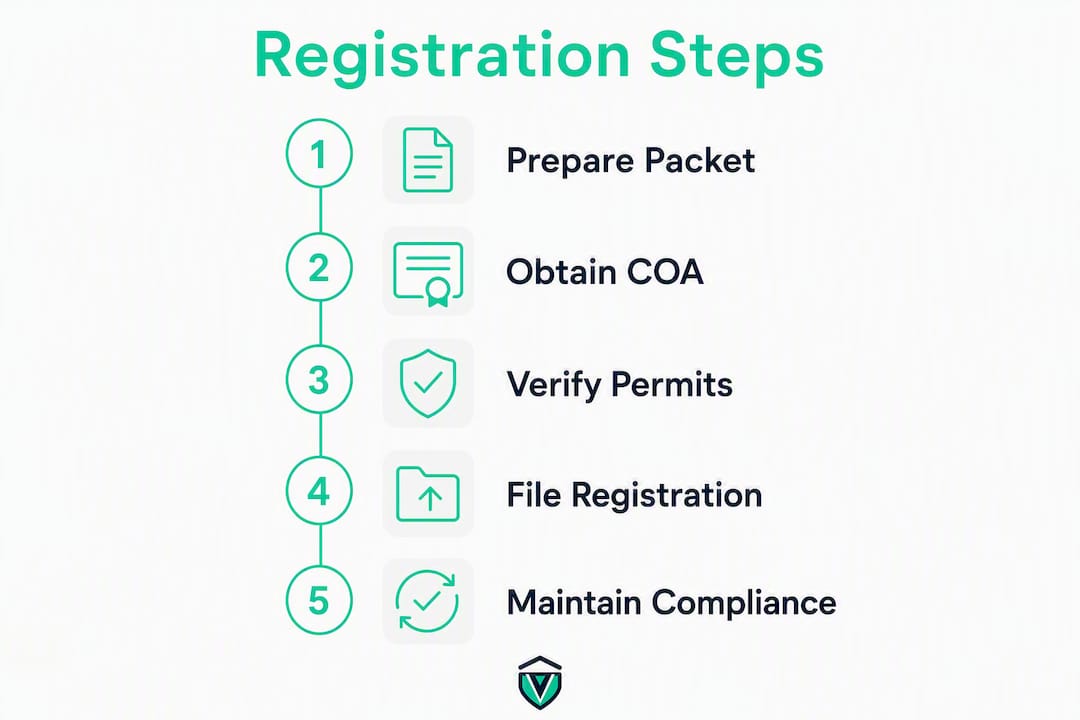
For NYC locations specifically, the NYC Business dashboard supports descriptive internal nicknames per site. Label locations as "Brooklyn Warehouse" or "Main St Branch" rather than address strings. Local managers find the right permits faster, and misfiling drops.
One pitfall that catches growing operators: crossing certain location thresholds can change your filing classification entirely, including tobacco chain store rules and other category-specific triggers. Contact the Tax Department before any mass expansion or entity change, because those moves can require updates across tax, unemployment insurance, and withholding registrations simultaneously.
Vaultedai keeps every location's compliance in one place
Running permits across five, ten, or twenty New York locations on spreadsheets means one missed renewal away from a violation. Vaultedai gives multi-location operators a single dashboard to attach COA PDFs, set renewal alerts, and assign location-level access to store managers while central compliance retains final approval.

A restaurant group onboarding with Vaultedai imports each location, attaches its COA and local health permits, and sets automated reminders before each renewal window. No chasing email threads. No missed deadlines. Start tracking your locations with Vaultedai and see how fast the setup takes.
Official resources for New York location registration
Go directly to these portals for every filing step.
| Resource | What it's for | When to use it |
|---|---|---|
| New York Business Express | NY.GOV ID, business profile, COA applications | First step for every new location |
| NYS Tax Dept. — COA instructions | Certificate of Authority application and timing rules | At least 20 days before opening |
| Form DTF-17-ATT | Add addresses as a consolidated filer | When adding locations under one consolidated return |
| NYC Business dashboard | Link, nickname, and renew city permits | For any location inside New York City |
| NYS Permits and Licenses | Local zoning, health, signage, liquor permit lookup | After state COA — verify per exact address |
- Use the NYC Business Step by Step wizard to generate a custom permit list for each NYC address.
- For local permit requirements outside NYC (Buffalo, Albany, other municipalities), contact the county health department and municipal zoning office directly — requirements vary by jurisdiction and are not consolidated in a single state portal.
- Before any entity change or large-scale expansion, call the NYS Department of Taxation and Finance to confirm which registrations need updating before you file.
- Use Vaultedai's permit checker to scan per-location requirements alongside your state filings.